 Moth
Themes, colours and typography
Choose a theme, adjust its colours and set up your fonts.
Theme selection
Choose a theme in Settings → Theme. System follows your Mac’s light or dark appearance as it changes; Moth Dark and Moth Light stay fixed. Choosing a theme clears any custom theme-colour overrides.
The configuration file accepts these theme names: system, moth-dark, moth-light, midnight, paper, forest, fire, dusk, snow, abyss, eclipse, wraith, graphite, sepia, moonlight, nocturne, copper, hemlock, vellum, lilac, tideline, github-dark-colorblind and github-light-colorblind. GitHub Dark Colourblind and GitHub Light Colourblind use GitHub’s published orange and blue alternatives to red and green.
To change the background, text and accent colours yourself, add:
[palette]
enabled = true
background = "151820"
foreground = "DFE4EF"
accent = "A5B8FF"
Use six hexadecimal digits without a #. If you turn on the animated background, it replaces the theme’s plain background.
ANSI palettes
Settings → Colours lets you change all eight normal and eight bright ANSI colours. You can start with Moth Classic, Lavender Haze, Sea Glass, Rose Ash, GitHub Dark Colourblind or GitHub Light Colourblind and adjust them from there.
In the file, leave ansiColors as an empty list to use the theme’s palette, or supply exactly sixteen six-digit hex colours: normal colours 0–7, then bright colours 8–15. Text using indexed colours updates straight away, including text already on screen. Applications that choose their own RGB colours keep those colours.
Bundled and installed fonts
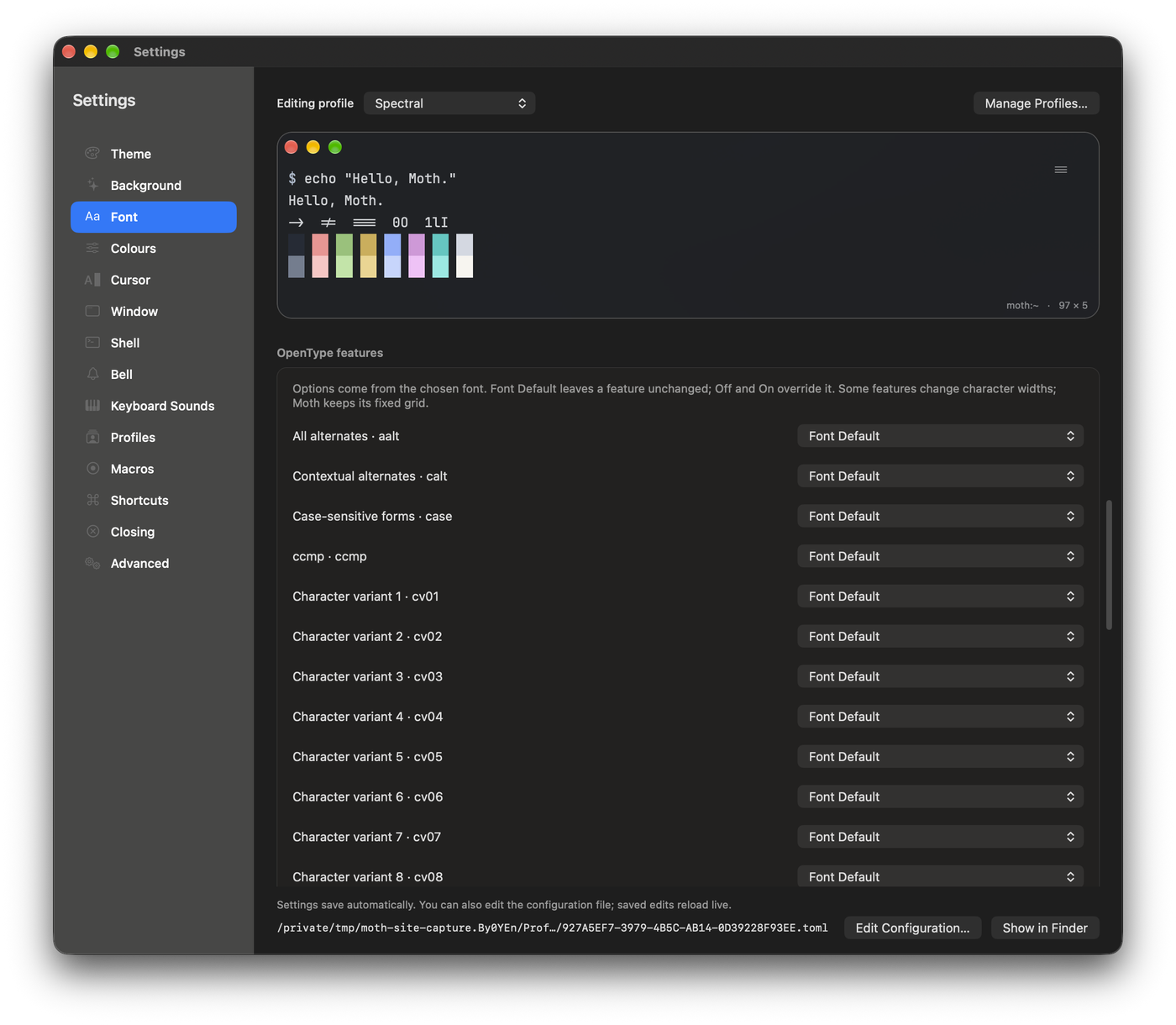
Moth bundles Wumpus Mono Pro, JetBrains Mono Nerd Font Mono and IBM Plex Mono. The Wumpus Mono Pro files supplied with Moth have a separate permission for use, modification and free redistribution. Wumpus Mono Pro includes seven weights and fourteen upright and italic styles. A separate Nerd symbols font supplies icons automatically, including when text is bold or italic. Wumpus Mono Pro is the default. You can choose them in Settings → Font without installing anything, or use the native font panel to pick another font on your Mac.
The file uses the font’s PostScript name in fontName; Wumpus Mono Pro is WumpusMonoPro-Regular. fontSize accepts 9–32 points. Wumpus Mono Pro runs from Thin through Bold; the native font panel exposes all fourteen faces. JetBrains Mono and IBM Plex also include bold and italic faces.
Typeface credits and licence references are listed under Credits & licences.
Spacing, styles and OpenType
Settings → Font lets you adjust line height and spacing, turn ligatures and antialiasing on or off, and choose whether ANSI bold and italic styles use their matching font faces. It also lists the OpenType features available in your font, with Font Default, Off and On choices.
[typography]
lineHeight = 1.15
characterSpacing = 0.0
antialias = true
ligatures = false
useBold = true
useItalic = true

[typography.features]
zero = 1
ss01 = 1
Line height runs from 1× to 2×, with up to six extra points of character spacing. OpenType tags use four printable ASCII characters and integer values from 0 to 99. A feature only works if the font supports it. Turning ligatures off disables the liga, calt, dlig and hlig features.
Cursor movement, selection and exported text still use the original character cells. Reset Typography restores the shaping, styles, spacing and feature defaults without changing your chosen font. Changing fonts resizes the terminals without resetting their application modes.